|
Getting your Trinity Audio player ready...
|
You completed the book. It may have taken you months to write it, or even years. Whatever the case, you are here right now asking yourself what thousands of authors new to publishing are asking themselves every single day — how can I publish this?
How do I publish a book on Amazon KDP is one of the most searched questions in the self-publishing world right now — And there’s a reason for that. Amazon KDP is the biggest self-publishing site on the globe, it’s entirely free to use, and it gives any writer the opportunity to go from manuscript to published book within a week. No need to find an agent. No need to deal with a gatekeeper. No need to wait several years for anyone’s approval.
In this guide, you will learn everything about this process in simple terms. Even if you have never published anything before, when you read this guide, you will understand everything.
What Is Kindle Direct Publishing (Amazon KDP) and Why Should You Use It
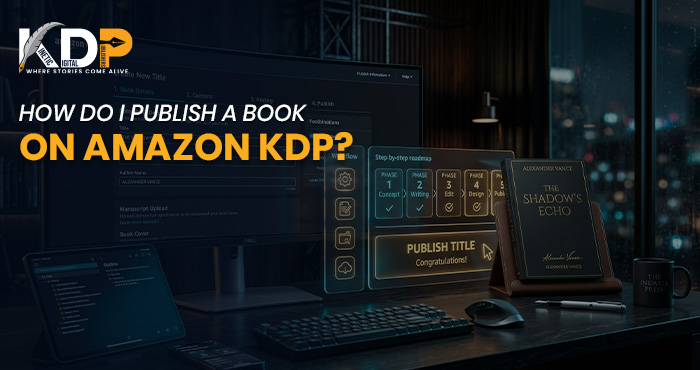
Kindle Direct Publishing or KDP is Amazon’s self-publishing platform. This allows authors to post their books and sell directly to consumers using Amazon’s online platform, which has millions of active users for book buying all over the United States and around the globe.
It is completely free to sign up for this program, as well as free to use. There is no upfront cost for posting your book at all. Amazon makes its money off a cut of the sale, meaning you only pay once you earn.
What Kinds of Books Can You Self-Publish on Amazon KDP
Amazon KDP supports both eBooks and print-on-demand paperbacks — meaning that buyers can get your book either in an electronic version or as a printed copy, which will be produced by Amazon for you. The type of content is almost unrestricted, meaning that you can publish any kind of book, fiction or non-fiction, children’s books, poetry, workbooks, business books, self-help books, or just about anything else.
What You Need Before You Start the Amazon KDP Publishing Steps
Before logging into the KDP dashboard and navigating through the process, it is good to have everything organized first to make it easier for you.
Here are the things that you must be prepared with before doing the procedure:
- Manuscript File – preferably in .epub or .docx file format
- Cover Image – 2,560 x 1,600 pixel cover, either JPG or TIFF file type
- Title, subtitle, and description of your book
- Seven keywords that are likely to be used by your target audience when searching on the site
- Two Amazon categories where your book belongs
- Amazon account details with tax information done
Having all of these ready before you open the dashboard makes the entire kdp publishing steps significantly smoother and faster.
Step-by-Step: How to Publish a Book on Amazon KDP
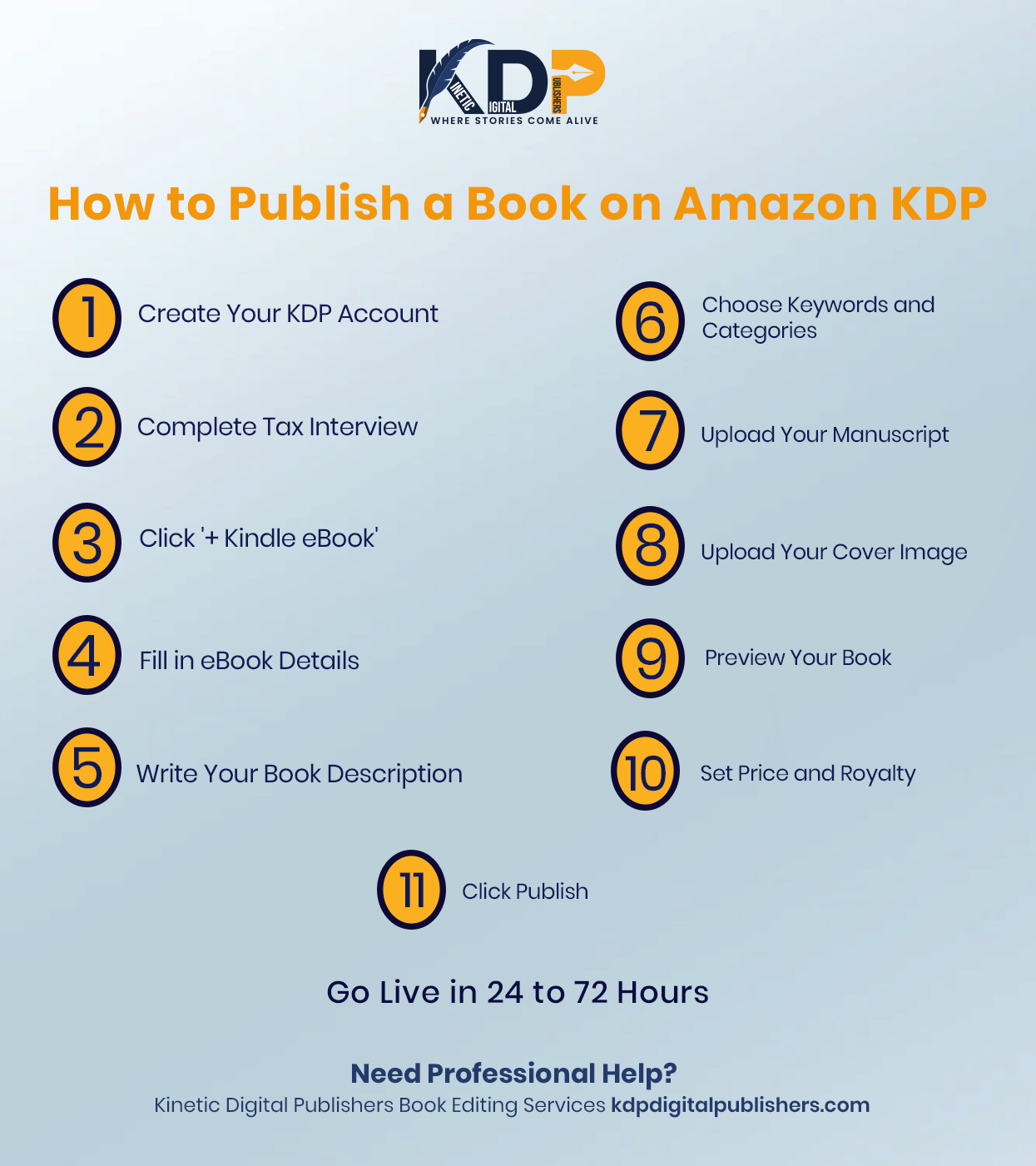
Step One — Create Your Amazon KDP Account
Visit kdp.amazon.com and log in to your usual Amazon account. You do not need a different one; if you have an Amazon account already for shopping, you will be fine with that one. Amazon will then request that you complete some simple registration processes: your author name and a tax interview, which is just a form stating your status as a taxpayer, in order for Amazon to pay you royalties. This process should take no more than five minutes.
This will take you straight to your KDP Bookshelf.
Step Two — Start a New Kindle Direct Publishing Project
Click ‘+ Kindle eBook’ to begin creating your book listing. You will be taken through three main tabs — Details, Content, and Pricing. Each one has a clear job, and none of them is as complicated as they first appear.
Step Three — Add Your Amazon KDP Book Details
In the Details tab, you will fill out the information used to create your Amazon book listing. Enter the language, title, and subtitle of your book, along with your exact author name.
This book description field in the Details tab is by far the most important part. It should be a sales pitch and not a summary of the book. Give your best hooks right from the beginning. The first two sentences should carry the whole weight.
Enter your keyword list in the full seven fields. Remember to use key phrases and not vague keywords. Inspirational Christian memoir about addiction recovery will attract a specific audience. Memoir won’t. For the two categories, give it some thought and select the two that describe your book best. Category selection is very important for visibility in Amazon’s listings.
Step Four — Upload Your eBook Publishing Files
It is at the Content tab where you can upload your files. Click on ‘Upload eBook Manuscript’ to start uploading your file. It should be noted that the .epub format yields the best results on all Kindle devices; however, Amazon accepts .docx and .pdf formats among others.
After the process of uploading your manuscript is completed, Amazon will automatically process it. When it is completed, you should click on ‘Launch Previewer’ and use it. Review the pages of your book one by one to check for spacing issues, chapter headers that might be missing, and other inconsistencies. You should correct any issues prior to publication.
As for the cover of your book, click on ‘Upload your cover file’ and select the appropriate picture. Your cover is what a potential reader sees before he/she sees your book title and the description. It is the clean, genre-appropriate, and professionally done cover that makes people click on it.
Step Five — Set Amazon KDP Pricing and Royalties
The Pricing page is where you set the cost of your book as well as the royalty percentage. KDP provides two choices. If your book falls into the price range of $2.99 to $9.99, you get 70 percent royalties — the $2.99-$9.99 range is the one that self-publishers strive for since the book cost is relatively low while sales revenue is quite high.
If you have world rights to your book, select ‘All Territories’ under the pricing section to make your book available in all Amazon international stores automatically. There will also be a choice to participate in KDP Select, which means having your book exclusive on Amazon for ninety days in return for the possibility of reaching out to Kindle Unlimited readers and having some promotion. It could be helpful for your first book.
Step Six — Publish Your Book on Amazon KDP
After the completion of all the tabs, press the ‘Publish Your Kindle eBook’ button. Amazon checks your submission and, in the majority of situations, makes it available online within 24 to 72 hours. Once it is done, you will receive an email informing you about it. As a result, you have a unique Amazon page for your book, which anyone can purchase.
Here Is Something Most KDP Tutorials Do Not Tell You
The truth is that what the majority of the KDP tutorials do not tell you is that the process of publishing your book is only where you begin and not where you end up. Getting your book listed without any form of reviews, without any kind of marketing strategy in place, and without any launch strategy will be extremely easy for Amazon’s algorithm to miss, despite your doing all things right when it comes to uploading the book.
The positive side of the story is that with Kinetic Digital Publishers and Amazon KDP Services, we help authors with not only the uploading process but also with the subsequent stages of the publication process. From assisting in the listing of your book for optimum visibility to providing a launch strategy for your book, our team takes the publication of your book seriously at all stages of the process. What do I mean?
What to Do After Your Book Goes Live on Amazon KDP
Publishing is step one. What you do in the weeks after launch shapes your book’s long-term performance on Amazon.
Build Your Author Central Page
Amazon Author Central is a free profile that allows you to include a biography, a photograph, and associate all of your books into one author profile. Amazon Author Central makes your profile look more professional and provides a reason for people to read more from you. This should be done within a week after publication.
After creating an Author Central account, claim all your books that have been published and make sure your biography is up-to-date. An author central profile will not only enhance your credibility but will also help the reader find more books from you. A good number of successful self-publishing authors take Author Central very seriously.
Gather Early Reviews Intentionally
Reviews are one of the most powerful forms of trust on Amazon. A book that doesn’t have reviews is asking each reader to take a risk on something without having any proof that it’s worthwhile. Ask early readers for reviews, even as simple as adding a link to your book at the end of your book, and use your current audiences (your email list, your social media followers) to generate some early reviews after you launch.
Amazon recommendations are also impacted by reviews. Books that have real reviews tend to look more credible in the eyes of the buyer and may rank higher when it comes to searching for books on Amazon. The key is to get real reviews from advanced readers, subscribers, and followers.
Conclusion
How do I publish a book on Amazon KDP is a question with a clear, approachable answer – the answer that will become easier to grasp the more you learn what each step requires. Create your account. Get your files ready. Complete all listing information accurately. Upload, preview, price, and publish. And let Amazon do the rest.
The key distinction between the book that sells and the one that doesn’t comes down to everything else that goes into the process besides the technicalities – from the cover that earns the click to the description that earns the sale to keywords that earn the discoverability. The Amazon KDP guide you followed gets your book live. What you do around it determines whether it earns.
Whether you’re ready to work with us on all the aspects of publication – including formatting, cover design, listing optimization, and launching – Kinetic Digital Publishers’ Amazon KDP Services will be happy to help at every stage of the process. Contact us today and get our expertise in publishing your book.
FAQs
Q1. How do I publish a book on Amazon KDP for the first time?
Begin by making an account at kdp.amazon.com using your usual Amazon credentials. Next, take the tax interview test, and then from the ‘Bookshelf’, select ‘+Kindle eBook’. Start adding details about your book, including uploading the file, setting a price, and publishing. Amazon will check your manuscript, and you can expect your book to be online within 24 to 72 hours. If you have all your documents ready, then this process will be much faster.
Q2. Is Amazon KDP really free to use for self-publishing?
Yes, Kindle Direct Publishing is completely free to join and use. There are no fees to create an account, upload your book, or list it for sale on Amazon. The site makes money based on a percentage of royalties earned from every transaction. For those who want to publish book online without any upfront cost, then Kindle Direct Publishing is the most viable route.
Q3. What file format should I use when following the kdp publishing steps?
The .epub format works best for Kindle devices and applications, and this is the preferred format when submitting an e-book to Amazon. If your manuscript is in the form of a Word document, Kindle Create by Amazon KDP will convert the document to .epub format. Amazon also supports documents with the file formats of .docx, .pdf, and .html, but .epub will give you the best results.
Q4. How long does it take to publish a book on Amazon after I submit it?
The time taken for Amazon to evaluate and approve the eBook will range between 24 and 72 hours. Your eBook becomes active and ready to be sold once it is accepted by Amazon. However, in case there is any problem with the file, such as formatting, resolution problems, etc., you will receive an email from Amazon detailing the problem so that you can make the necessary corrections and resubmit.
Q5. Do I keep my rights when I use this self publishing guide and publish through KDP?
Yes, absolutely. Self-publishing via Amazon KDP is just that: a distribution channel, and not the transfer of your book’s rights. You will always remain the owner of full copyright of your book. You have the ability to revise your content, change pricing, do promotions, or even remove your book from sale whenever you want, using your KDP control panel. Unless, of course, you choose to sign up for KDP Select and make your eBook exclusive to Amazon for every ninety days.